
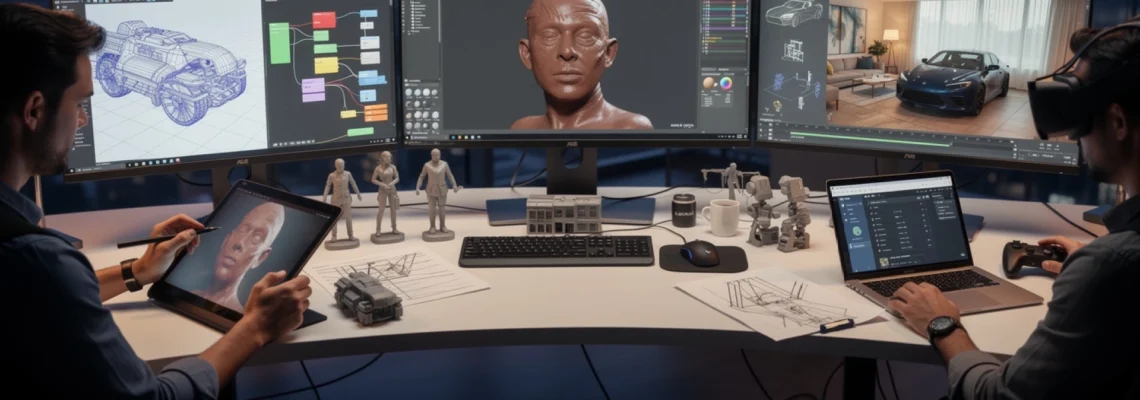
The digital landscape has transformed dramatically over the past decade, with 3D modelling software evolving from niche professional tools into accessible creative platforms that empower artists, designers, and visionaries across industries. Whether you’re crafting characters for the next blockbuster film, designing architectural marvels, or prototyping revolutionary products, the right 3D modelling software serves as your digital canvas for bringing imagination to life.
Modern 3D modelling applications have reached unprecedented levels of sophistication, offering everything from polygon mesh manipulation to advanced procedural generation techniques. The industry now hosts over 150 professional-grade 3D modelling solutions, each tailored to specific workflows and creative demands. This technological diversity means that choosing the perfect software for your creative vision requires understanding both the technical capabilities and artistic potential of each platform.
The global 3D modelling software market, valued at approximately £2.8 billion in 2023, continues expanding at a compound annual growth rate of 14.2%. This growth reflects the increasing democratisation of 3D creation tools and their integration into emerging fields like virtual reality, augmented reality, and real-time visualisation.
Professional 3D modelling software for advanced polygon mesh creation
Professional-grade 3D modelling applications represent the cornerstone of digital content creation pipelines across entertainment, automotive, and architectural industries. These comprehensive platforms combine sophisticated polygon mesh editing capabilities with advanced rendering engines, providing artists with the precision and flexibility required for complex commercial projects.
Autodesk maya: NURBS surface modelling and subdivision workflows
Maya stands as the undisputed industry standard for character animation and complex 3D modelling workflows. Its comprehensive NURBS (Non-Uniform Rational B-Splines) surface modelling capabilities enable artists to create mathematically precise curves and surfaces essential for automotive design and organic character development. The software’s subdivision surface workflow allows seamless transition between low-resolution proxy geometry and high-detail final models.
Maya’s procedural modelling nodes provide unprecedented flexibility in creating parametric objects that can be modified non-destructively throughout the production pipeline. The software’s integration with Arnold renderer delivers production-quality results directly within the modelling environment, enabling artists to visualise lighting and materials in real-time. Recent updates have introduced enhanced retopology tools and improved UV unwrapping algorithms, addressing long-standing workflow bottlenecks in character production pipelines.
Blender 3.6 geometry nodes: procedural mesh generation techniques
Blender’s Geometry Nodes system represents a revolutionary approach to procedural 3D modelling, offering node-based workflows that rival expensive commercial alternatives. This open-source powerhouse enables artists to create complex geometric patterns, environmental assets, and architectural elements through visual programming interfaces that require no coding knowledge.
The latest Geometry Nodes iterations support advanced scatter systems, curve-based modelling, and volumetric operations that previously required multiple specialised applications. Blender’s integration of simulation capabilities within the geometry nodes framework allows for dynamic mesh generation based on physics constraints, creating opportunities for innovative generative design workflows. The software’s growing adoption in commercial studios demonstrates its maturation from hobbyist tool to professional-grade creation platform.
3ds max editable poly: hard surface modelling with ProOptimizer
3ds Max excels in architectural visualisation and hard surface modelling through its sophisticated Editable Poly toolkit and advanced modifier stack architecture. The ProOptimizer tool enables intelligent polygon reduction whilst maintaining surface integrity, crucial for creating game-ready assets from high-resolution architectural models.
The software’s spline-based modelling tools provide exceptional precision for creating complex architectural details, whilst its advanced material editor supports physically-based rendering workflows essential for photorealistic visualisation. 3ds Max’s integration with building information modelling (BIM) systems streamlines the transition from technical drawings to compelling architectural presentations.
Cinema 4D volume builder: boolean operations and SDF modelling
Cinema 4D’s Volume Builder introduces signed distance field (SDF) modelling capabilities that revolutionise boolean operations and complex geometry creation. This volumetric approach enables seamless blending of multiple objects
with controllable smoothing, filleting, and remeshing, making it ideal for concepting complex hard-surface assets without worrying about topology too early in the process. Because the Volume Builder operates non-destructively, you can stack boolean operations, filters, and noise generators, then adjust parameters at any time without rebuilding the mesh from scratch. This makes Cinema 4D particularly attractive for motion designers who need to iterate quickly on abstract forms, product visualisations, and logo animations.
The Mesher object converts volumetric SDF data into standard polygon meshes, giving you full access to Cinema 4D’s traditional modelling, UV, and rigging toolsets. When combined with fields, you can art-direct where volumes are added, subtracted, or smoothed, almost like painting with 3D clay in space. If you often work in broadcast design or short-form advertising, this volume-based workflow can dramatically shorten the time between initial 3D concept and final render-ready asset.
Houdini procedural workflows: VEX programming for complex geometry
Houdini has become synonymous with procedural 3D modelling, and its VEX (Vector Expression) language lies at the heart of that power. Instead of pushing vertices by hand, you build node networks and VEX snippets that describe how geometry should be generated, deformed, or instanced. The result is a highly repeatable 3D modelling pipeline where you can change inputs – such as curves, attribute values, or simulation caches – and have entire environments or assets update automatically.
For complex geometry, such as cityscapes, destruction shots, or intricate motion graphics, VEX gives you low-level control over attributes like position, normals, and custom masks. You can, for example, scatter buildings based on slope and proximity to roads, or generate growth patterns that mimic natural systems. While this approach has a steeper learning curve than traditional box modelling, it pays off when you need to deliver multiple variations, handle large datasets, or integrate with game engines and real-time visualisation tools.
Specialized sculpting applications for organic character development
When your focus shifts from rigid architecture and products to lifelike characters and creatures, dedicated sculpting software becomes essential. These tools prioritise high-resolution detail, intuitive brush systems, and flexible topology management over strict geometric precision. Instead of moving individual vertices, you push, pull, and carve virtual clay, much like a traditional sculptor working with physical materials.
Specialised 3D sculpting applications also streamline downstream steps like retopology, UV mapping, and baking high-resolution detail into normal maps for real-time engines. If you are building a character pipeline for games, film, or digital doubles, adopting one or more of these sculpting tools will dramatically improve both the quality and speed of your organic modelling workflows.
Zbrush DynaMesh: high-resolution digital clay sculpting methods
ZBrush remains the benchmark for organic 3D sculpting, and its DynaMesh system is central to that reputation. Instead of worrying about edge loops and polygon flow, you work with a dynamically remeshed volume that redistributes topology as you stretch, cut, and merge forms. This is particularly powerful in early concept phases, where you want to explore silhouettes and anatomy without technical constraints holding you back.
DynaMesh supports aggressive boolean operations, enabling you to kitbash complex mechanical parts into organic characters or carve out intricate armour and props. Once the main forms are established, you can transition to subdivision-based workflows, adding pores, wrinkles, and surface imperfections with ZBrush’s extensive library of brushes and alphas. For productions that need ultra-high poly counts – often exceeding 20 million polygons per subtool – ZBrush’s performance and memory optimisation continue to set the standard.
Mudbox subdivision levels: multi-resolution sculpting workflows
Mudbox, Autodesk’s digital sculpting solution, integrates tightly with Maya and 3ds Max, making it a practical choice if your 3D modelling pipeline already leans on Autodesk tools. Its traditional subdivision-level system lets you sculpt at multiple resolutions, stepping up for fine skin detail and back down to adjust primary forms. This multi-resolution approach is particularly helpful when art directors request last-minute proportion changes on otherwise finished sculpts.
Because Mudbox uses a more conventional 3D viewport and UI, many artists transitioning from polygon modelling find it less intimidating than ZBrush. You can import a base mesh from Maya, add several subdivision levels, sculpt and paint directly on the surface, then send displacement and normal maps back to the host application. If you are building creatures or digital humans that must remain editable in a larger rigging and animation pipeline, Mudbox’s tight round-tripping can save significant setup time.
Blender sculpt mode: dyntopo and multires modifier techniques
Blender’s Sculpt Mode has evolved rapidly over the last few releases, offering a compelling free alternative to commercial sculpting applications. Its Dynamic Topology (Dyntopo) feature lets you locally refine geometry as you sculpt, adding triangles only where extra detail is needed. This allows you to explore forms in an intuitive, sketch-like manner, especially in early character ideation, without committing to a predefined topology.
For production workflows that require clean, quad-based meshes, the Multires modifier provides a more traditional subdivision stack. You can retopologise a Dyntopo sculpt using Blender’s tools or external software, then project high-frequency detail back onto a multires mesh. Combined with Blender’s texture painting, vertex colour systems, and increasingly robust baking tools, Sculpt Mode gives independent creators and small studios a full organic modelling pipeline without licensing costs.
3d-coat voxel sculpting: retopology and UV mapping integration
3D-Coat distinguishes itself with voxel-based sculpting, where geometry is stored as volumetric data rather than traditional polygons. This means you can carve, merge, and resample forms without worrying about stretching or collapsing topology, which is particularly useful when designing armour sets, hard-surface elements, or hybrid mechanical-organic designs. Once your shapes are locked in, you can convert voxels to surface mode for finer detailing and polish.
Where 3D-Coat really shines is its integrated retopology and UV mapping toolset. Auto-retopology algorithms can generate a starting mesh that you refine manually, dramatically reducing the time it takes to produce animation-ready topology. The UV room offers powerful packing and seam tools, enabling you to unwrap complex characters in a single application. For freelancers who need an end-to-end character creation solution, 3D-Coat’s combination of voxel sculpting, retopo, and texturing can be an efficient alternative to maintaining multiple separate tools.
Cad-based precision modelling tools for technical design
While creative 3D modelling tools prioritise artistic freedom, CAD-based platforms focus on engineering accuracy, manufacturability, and parametric control. These applications are essential when millimetre-level precision, tolerances, and mechanical constraints drive your design decisions. If you are designing products, machinery, or consumer electronics that must move from 3D model to CNC machining or injection moulding, CAD-centric software is non-negotiable.
Modern CAD tools increasingly bridge the gap between technical and visual workflows by integrating subdivision surfaces, direct modelling, and real-time rendering. This convergence means you can validate engineering requirements while simultaneously producing presentation-ready visuals. Understanding how to convert NURBS-based CAD data into efficient polygon meshes is crucial if you plan to use the same models across marketing, simulation, and interactive visualisation.
Fusion 360 parametric modelling: T-Spline surface creation
Fusion 360 combines parametric CAD, freeform modelling, and CAM into a single cloud-connected package, making it particularly attractive for small product teams and startups. Its T-Spline technology bridges traditional NURBS and subdivision surfaces, allowing you to push and pull smooth organic forms while maintaining a mathematically consistent underlying structure. This is especially useful for items like ergonomic handles, consumer electronics housings, or sports equipment, where both aesthetics and manufacturability matter.
Because Fusion 360 is fully parametric, you can define dimensions, constraints, and relationships that update automatically when requirements change. Need to adjust wall thicknesses for injection moulding or resize a product to accommodate new electronics? You can tweak a few parameters and have the entire 3D model update accordingly. For many teams, this blend of T-Spline surface creation and parametric control makes Fusion 360 a central hub from concept sketches through to production-ready assemblies.
Rhino 3D NURBS: SubD surface modelling for product design
Rhino 3D has long been a favourite amongst industrial designers, architects, and jewellery artists thanks to its robust NURBS toolkit. NURBS curves and surfaces provide the mathematical precision needed to define complex, flowing forms such as automotive bodywork or high-end consumer goods. With Rhino 7 and later, the introduction of SubD surfaces adds an artist-friendly, subdivision-based workflow on top of its traditional CAD foundation.
SubD in Rhino allows you to block out soft, organic shapes quickly, then convert them into accurate NURBS patches when you are ready for downstream manufacturing. This duality is powerful: you can model a smartwatch, for instance, using SubD for the case and strap, then rely on NURBS for the glass, buttons, and internal components. Rhino’s extensive ecosystem of plugins, including Grasshopper for algorithmic design, further expands what you can achieve, from generative facades to complex lattice structures.
Keyshot integration: real-time ray tracing preview workflows
KeyShot has become a go-to rendering solution for CAD users who need fast, photorealistic visuals without the complexity of traditional VFX pipelines. Rather than rebuilding materials and lighting from scratch, you can import models directly from tools like SolidWorks, Rhino, or Fusion 360 using dedicated plugins. KeyShot’s real-time ray tracing viewport shows you accurate reflections, refractions, and global illumination as you adjust materials and cameras, which is invaluable when iterating on product designs with clients.
For many design teams, this tight integration transforms 3D modelling software into a full product visualisation pipeline. You can model in a CAD tool, push to KeyShot with a single click, then explore colourways, finishes, and lighting scenarios in minutes. Because KeyShot handles heavy tasks like caustics and HDRI-based lighting in real time on modern GPUs, you can focus on visual decisions rather than render management. This workflow is particularly effective for marketing imagery, catalogue renders, and interactive client reviews.
Solidworks to polygon conversion: mesh tessellation optimisation
SolidWorks remains one of the most widely used parametric CAD systems in engineering and manufacturing, but its native data is NURBS-based rather than polygonal. To use SolidWorks models in game engines, VFX software, or real-time visualisation, you’ll need to convert them into meshes via tessellation. The challenge is finding the right balance between fidelity and performance: too coarse, and curved surfaces appear faceted; too dense, and your scene becomes unwieldy.
Most SolidWorks exports offer tessellation settings for chord height, angle, and maximum edge length. By adjusting these parameters per asset – tightening them for hero objects and relaxing them for background elements – you can create efficient meshes tailored to their final use. Some pipelines introduce an intermediate step in tools like Blender or Modo to perform further decimation, normal map baking, and smoothing group optimisation. Taking the time to refine this SolidWorks-to-polygon workflow pays dividends when you need both engineering accuracy and real-time performance.
Cloud-based and browser-compatible 3D modelling platforms
As distributed teams and remote collaboration become the norm, cloud-based 3D modelling software has moved from novelty to necessity. Browser-compatible platforms remove the barrier of heavy local installs, allowing designers, engineers, and clients to access projects from almost any device. This can be especially valuable for education, early-stage startups, or agencies that work across multiple hardware configurations.
Modern cloud 3D tools increasingly offer parametric modelling, version control, and real-time co-editing, more akin to a Google Docs experience than traditional desktop CAD. While they may not yet match the sheer breadth of features found in legacy applications, their rapid development cycles and integrated collaboration features make them a compelling choice. If you need to iterate fast with stakeholders in different locations, a browser-first workflow can significantly reduce friction.
Industry-specific modelling software for architectural visualisation
Architectural visualisation sits at the intersection of technical accuracy and emotive storytelling. Beyond simply representing floor plans, you need to convey light, materiality, and atmosphere in a way that helps clients and planning bodies understand spatial intent. To achieve this, many studios combine BIM (Building Information Modelling) platforms with dedicated 3D modelling and rendering tools tuned for architecture.
Applications like SketchUp, 3ds Max, and Rhino integrate with BIM systems such as Revit, allowing you to import structural data, then enrich it with detailed furniture, landscape elements, and realistic materials. Specialised plugins and asset libraries provide region-specific vegetation, lighting fixtures, and building components, accelerating the creation of believable scenes. When paired with real-time rendering engines, these architectural models become powerful tools for walkthroughs, VR presentations, and marketing imagery.
Real-time rendering integration: from modelling to interactive visualisation
The line between offline rendering and real-time visualisation has blurred dramatically over the last five years. Game engines like Unreal Engine and Unity, along with dedicated real-time renderers such as Blender’s Eevee or Cinema 4D’s Redshift RT, enable instant feedback on lighting, materials, and animation. For many teams, this means the same 3D modelling software can now feed both cinematic stills and interactive experiences without rebuilding assets from scratch.
Real-time integration is particularly impactful for industries like automotive design, architecture, and product development, where stakeholders benefit from exploring a design interactively. You can import CAD or DCC (digital content creation) models into a real-time engine, then add physically based materials, HDRI lighting, and post-processing. From there, you can create VR walkthroughs, configurators, or live client review sessions. As GPUs continue to advance and path tracing becomes standard even in real-time engines, we can expect 3D modelling workflows to become increasingly unified across static, animated, and interactive outputs.